







Umbe
Batch File Renamer for macOS
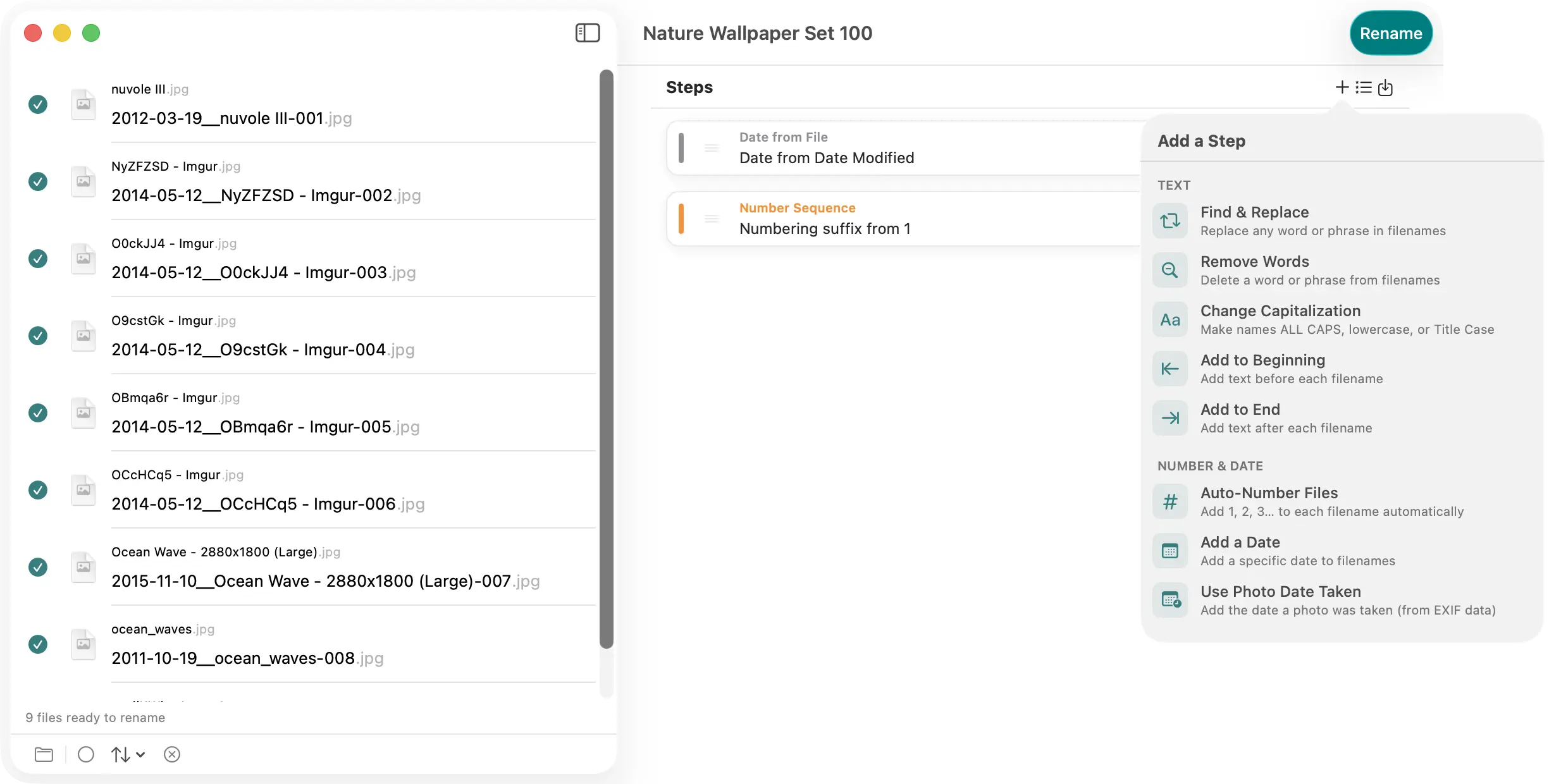
Umbe is a focused, modern batch file renamer for Mac. Drop in any number of files, build a stack of rename rules, and watch the new names update live as you work. When everything looks right, hit Rename. Done.
Built for Real Workflows
Photographers coming home from a shoot. Online sellers naming product photos. Parents finally organising years of family pictures. Document wranglers taming a folder of client invoices. These are the people Umbe is made for — people who need to rename a hundred files consistently, repeatedly, and without opening Terminal.
Stack Rules, Build Pipelines
Every rename is a pipeline. Add as many rules as you need, in any order, and Umbe applies them in sequence to every file.
- Replace Text — find and replace any string in the filename
- Add Prefix / Add Suffix — prepend or append any text
- Number Sequence — auto-number files with configurable start, step, padding, and separator
- Change Case — lowercase, UPPERCASE, Title Case, or camelCase
- Remove Text — strip a pattern from every filename at once
- Date (Fixed) — stamp files with a specific date in any format
- Date from Metadata — pull the EXIF date-taken from photos and use it in the name
Live Preview — Always On
The preview column updates the instant you change anything. You see the exact output name for every file before anything is touched. Conflicts — two files that would end up with the same name — are flagged inline in red so you can fix them first.
Presets for Repeating Jobs
Save any rule stack as a named preset and reapply it in one click next time. Presets are stored locally on your Mac, not in the cloud.
Undo Anything
Made a mistake? One click undoes the entire batch rename and restores every original filename, right in the same session.
Native and Private
Umbe is a native Mac app built in SwiftUI. No subscription, no account, no internet connection required. Your files stay on your Mac.
Perfect For
- Photographers: DSC_0001.JPG → Iceland-2026-03-14-001.jpg
- Online sellers: photo.jpg → ceramic-mug-blue-large-01.jpg
- Document organisers: scan.pdf → 2026-03-14_invoice_acme.pdf
- Family archivists: IMG_4821.jpg → 2018-Christmas-001.jpg
Privacy
Umbe collects no data and contains no telemetry of any kind. Read the full privacy policy. · Help & User Guide